How to Decrypt and Download Encrypted Files from Cloud Drive?
Scenario Setup
You need to encrypt files on your TNAS and save them to a cloud drive, and be able to decrypt and download them from the cloud drive back to TNAS for use when needed.
Setup Steps
Upload Encrypted Files to Cloud Drive for Storage
You need to create an "Upload local files only" sync task:
- Select the sync mode as: Upload local files only;
- Check "Encrypt data before sending it to the cloud. Local data remains unencrypted."
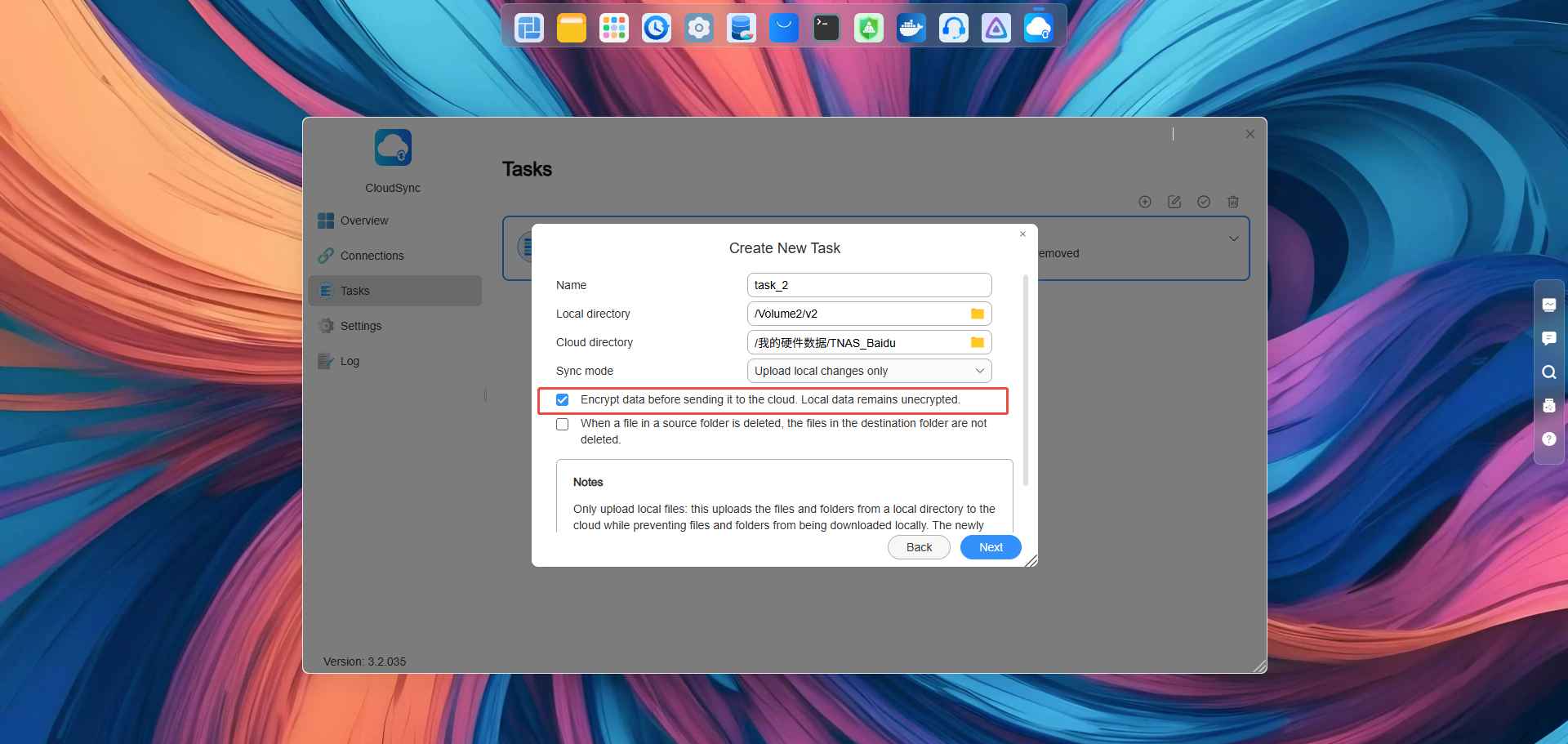 3. You need to set the encryption key. Please remember it after entering, as it will be required for subsequent decryption and download.
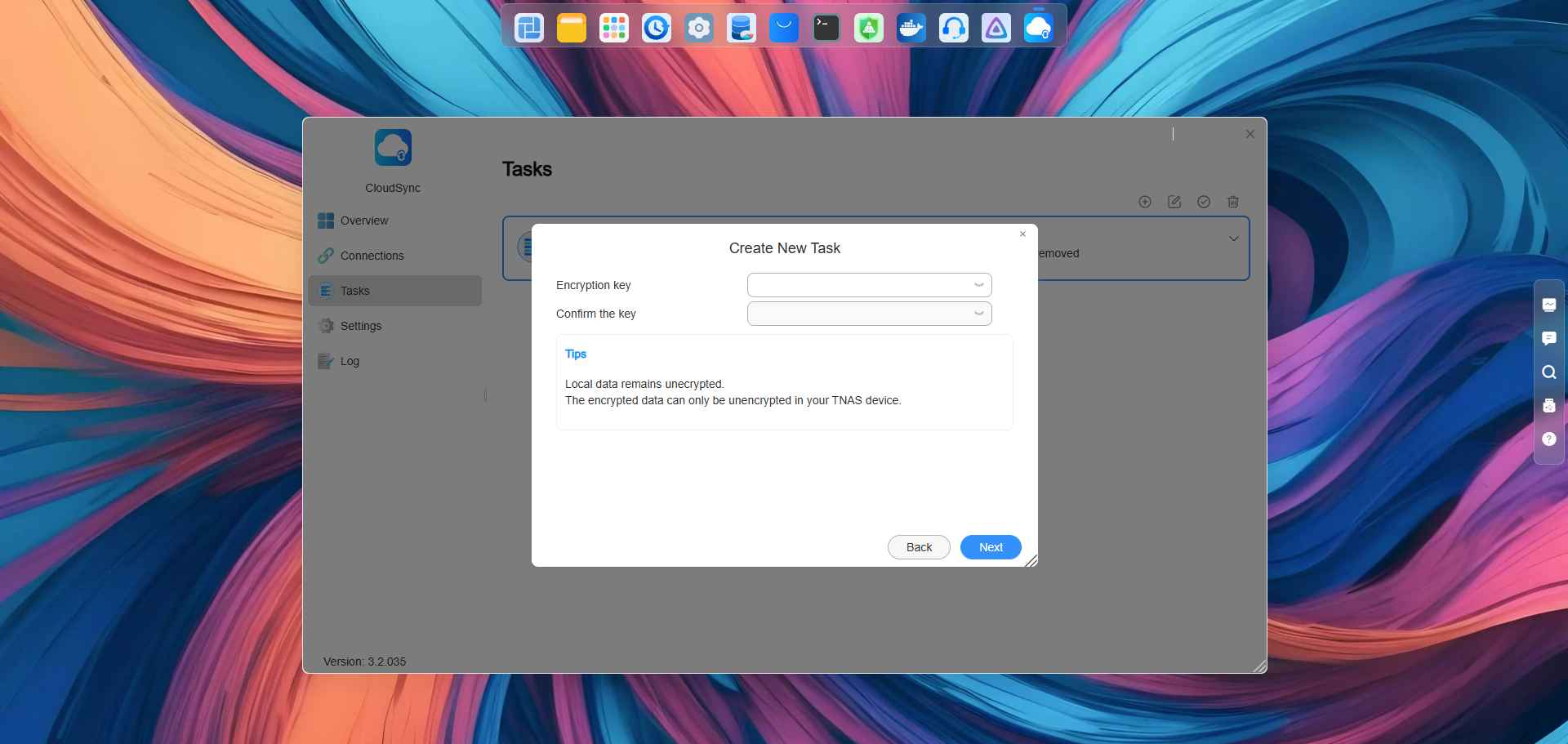 4. After execution, the sync task will encrypt the data from the specified TNAS path into ciphertext and sync it to the specified cloud drive path, greatly enhancing data storage security.
Decrypt and Download Required Files
You need to create a "Download remote files only" sync task:
- Select the sync mode as: Download remote files only;
- Check "Encrypt data before sending it to the cloud. Local data remains unencrypted."
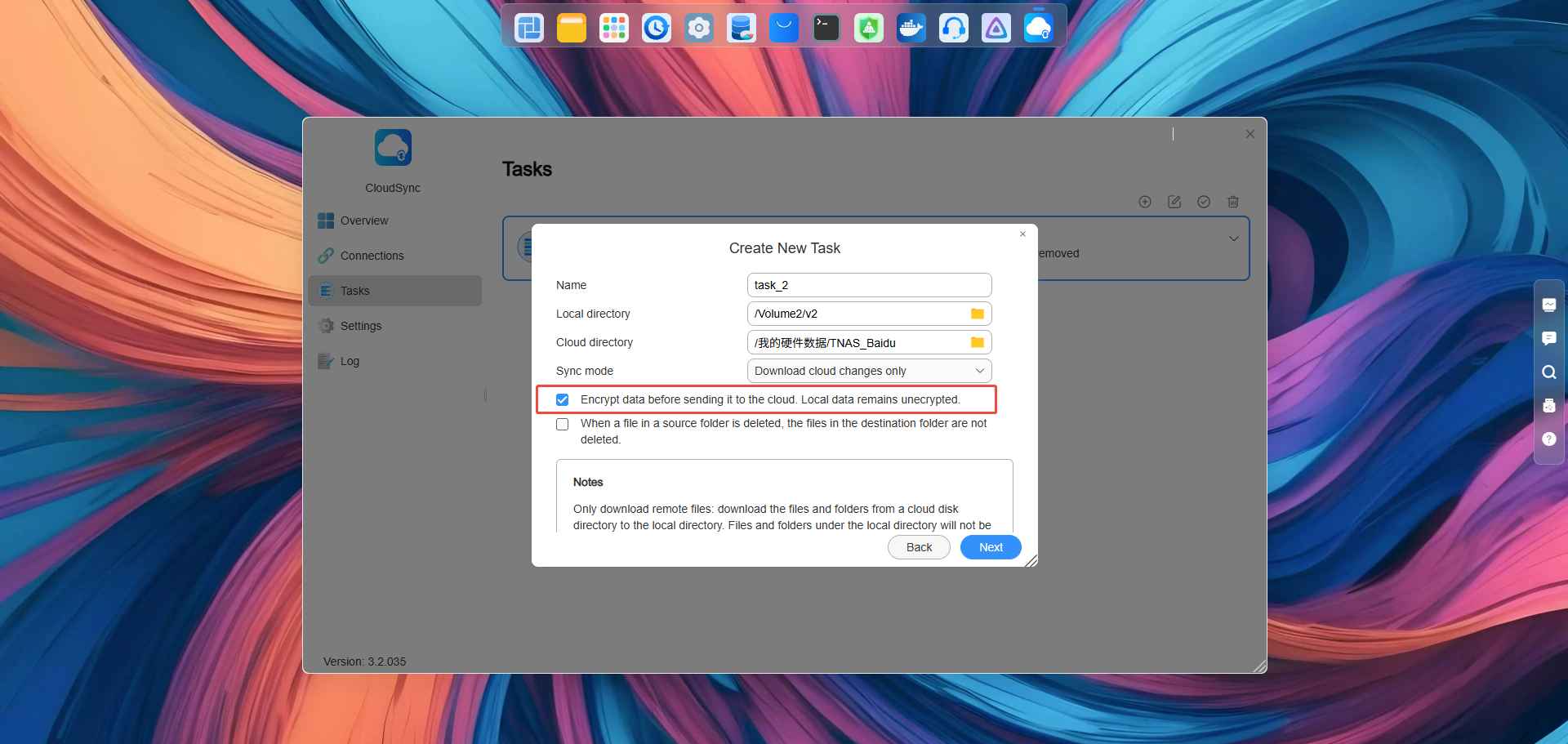 3. Click Next, enter the encryption key set during the previous "Upload local files only" sync task creation, and complete the sync task setup following the process;
4. After the sync task is created, you can proceed with decrypting and downloading the encrypted files.
3. Click Next, enter the encryption key set during the previous "Upload local files only" sync task creation, and complete the sync task setup following the process;
4. After the sync task is created, you can proceed with decrypting and downloading the encrypted files.
The encryption keys entered in both steps must be consistent to avoid encryption failure due to mismatched inputs;